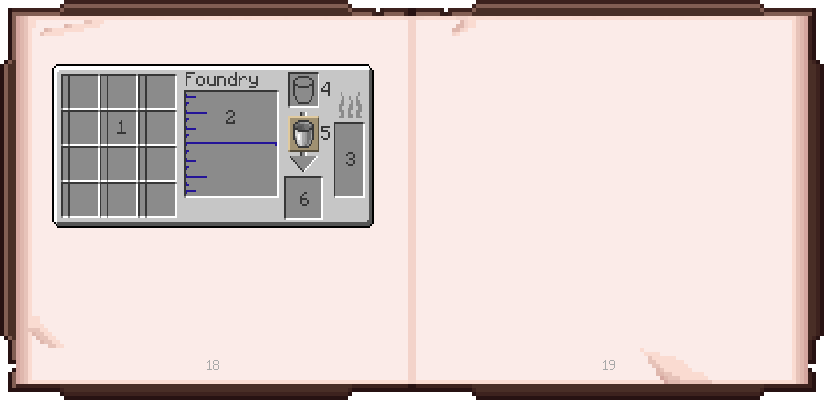
Foundry GUI
1: Place items to smelt in these slots. Foundry size determines number of slots.
2: Molten metals are shown here. You can click a fluid to select it for pouring. Hovering over the empty area will show foundry capacity.
Foundry GUI
3: This is where you can see your fuel. Hovering over it will show the exact amount and type.
In both 2 and 3, left clicking with a fluid item will attempt to fill the item from the tank, while right clicking will attempt to dump the item into the tank.
4: This slot allows quickly filling or dumping an item into the main tank, following the same behavior as clicking a drain with the item. 5 allows restricting this to just fill or just drain. After interacting, the result will be moved to 6.


Click on the arrows, icons, and links to navigate the book.
Having trouble interacting? View the book using the gallery.